Class Clowns Guides
Walkthroughs for classroom chaos — from first snack to outfits and full hook rescues.
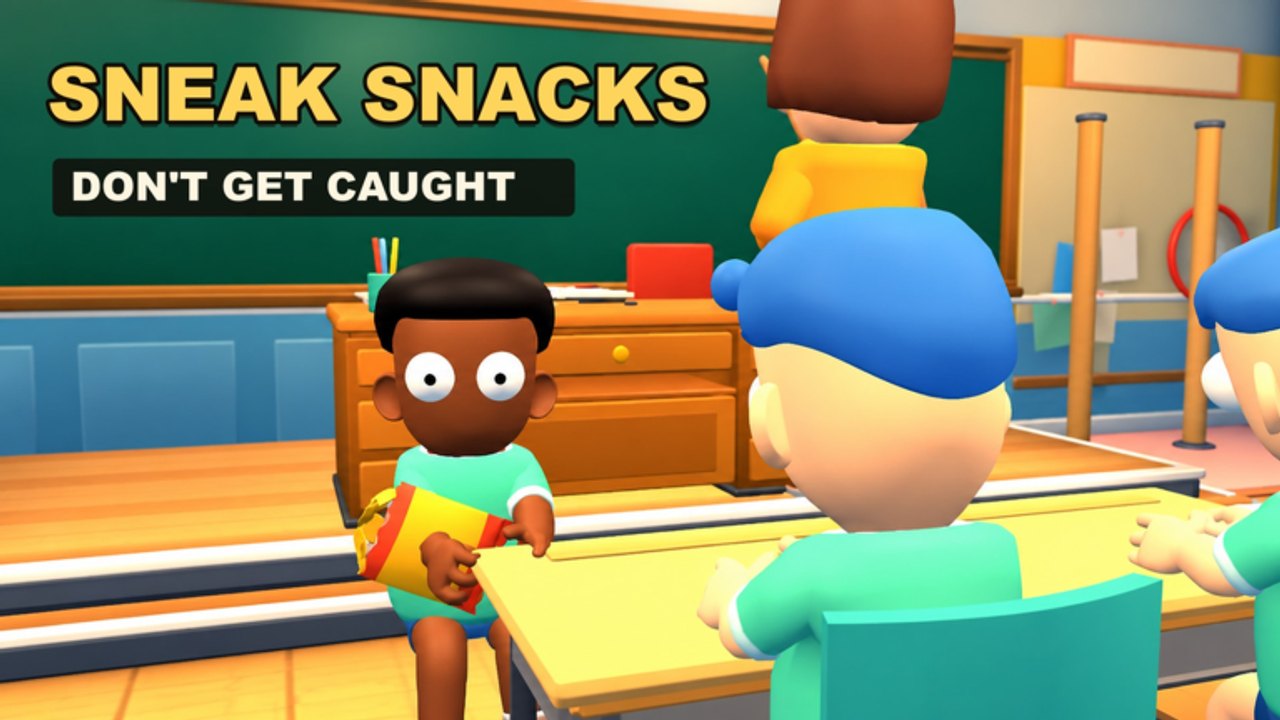
Welcome to the Guides Hub for Class Clowns by Mr Chow Studios. This Roblox survival experience puts up to twelve players in a 1-vs-All classroom: one Teacher hunts while Students sneak snacks, blow gum bubbles, drop banana peels, float balloons, and free friends from the hook. Released on 27 October 2026, the game rewards timing, awareness, and teamwork more than raw click speed.
Use this hub as your map. New players should start with Getting Started, then learn inputs on Controls. When you are ready for role depth, open How to Play as Student or How to Play as Teacher. Hook pressure is the match swing moment — study Free Friends from the Hook before your lobby collapses. Tool jobs are spelled out on Snacks and Items; progression and cosmetics live on Outfits and XP. Veterans can skim Tips and Tricks for advanced habits.
What these guides cover
Class Clowns is simple to launch and hard to master. Students must look innocent when the Teacher faces the room, then explode into mischief the second attention turns away. Teachers must stun with chalk, catch clowns, and hang them on the hook without tunnel-visioning a single loud bubble. Both sides level up toward funny outfits, so every successful round feeds long-term cosmetics as well as short-term pride.
The pages under this hub answer the searches players actually type: how to move and interact, how to grab snacks safely, when banana peels beat balloons, how chalk stun chains work, how a coordinated unhook saves a lobby, and how codes plus survival stack outfits. We keep facts aligned with the live game: Survival genre, server size twelve, solo or friends, codes redeemable in Settings, and ongoing patches after the October 2026 launch into November.
Recommended reading order
- Getting Started — first session checklist, codes, and round goals.
- Controls — movement, interact, Teacher catch flow, and mobile notes.
- How to Play as Student — snacks, pranks, hide timing, and survival loops.
- How to Play as Teacher — watch angles, chalk, catch, and hook pressure.
- Free Friends from the Hook — rescue routes, bait, and risk math.
- Tips and Tricks — advanced habits that stack across roles.
- Snacks and Items — when to use snacks, peels, balloons, bubbles, chalk, and the hook.
- Outfits and XP — leveling, codes, and funny cosmetic progression.
After the walkthroughs, cross into meta pages: the Tier List Hub ranks prank tools, while the Players Hub breaks Student and Teacher roles. Active Codes and Scripts live in their own hubs. Patch history sits under Updates, including Launch Notes and November 2026. Official and community bookmarks are on the Links Hub.
How to use guides during a live match
Do not memorize walls of text mid-round. Before you queue, pick one focus: cleaner hide timing, better chalk discipline, safer unhooks, or smarter item spends. After the match, note one mistake — snack greed while the Teacher was turning, a chalk throw into empty desks, or a rescue with no lookout — then reopen the matching guide. Short deliberate practice beats reading every page once and forgetting it.
If you play with friends, assign roles on purpose. One Student can specialize in snack pressure, another in peel traps near the hook, and a third as dedicated rescuer. The Teacher player should call when they are rotating so Students do not all stand up at once. Voice chat is optional; ping habits and shared callouts still matter in a twelve-player server.
Quality bar for this wiki
Every guide aims for practical steps, clear internal links, and FAQs that match real confusion. We avoid invented keybinds that the game never shows, and we never invent YouTube IDs. When Mr Chow Studios ships balance changes, we update the relevant pages and note the shift on Updates. If a tip conflicts with a fresh patch, trust the live build and send feedback so the wiki can catch up.
Ready to jump in? Open Getting Started now, redeem Codes in Settings if you have not, and treat your first Teacher round as research — watching Students fail teaches the Student kit faster than another silent snack attempt.
Frequently Asked Questions
Quick answers for Class Clowns players.
Which Class Clowns guide should I read first?
Start with Getting Started, then Controls. After one full Student round and one Teacher round, open the matching how-to-play page.
Do these guides work for solo and friends lobbies?
Yes. Solo queues still use the same Student and Teacher kits. Friends lobbies mainly change communication and coordinated rescues.
Where do I find codes, snacks tools, and outfit progression?
Redeem steps live under Codes. Tool jobs are on Snacks and Items; leveling and cosmetics are on Outfits and XP. Role summaries live under Players.
How often are these guides updated?
We revise after meaningful patches. Check Updates, Launch Notes, and November 2026 status for what changed since the 27 October 2026 release.